


Sales
13809631553
After-sales service
13713127352






Category: Test Data Management System
The system can collect, pair, and store data from various testing instruments on both automatic and manual test lines, enabling full-process tracking and management of test data.
Introduction to the Magnetic Component Production Line Data Acquisition System Functions
System development background
In response to the new data-driven requirements for magnetic component testing, Fuguang Technology has developed a magnetic component production line data acquisition system to meet the industry's demand for upgraded test data management.
Core Features Overview
The system can collect, pair, and store data from various testing instruments on both automatic and manual test lines, enabling full-process tracking and management of test data.
Value realization goals
Through system applications, it helps customers achieve controllable production quality, timely detection, early warning, handling, and closed-loop problems, truly achieving "adding algorithms to equipment and making data generate value."
System hardware composition
Basic hardware configuration
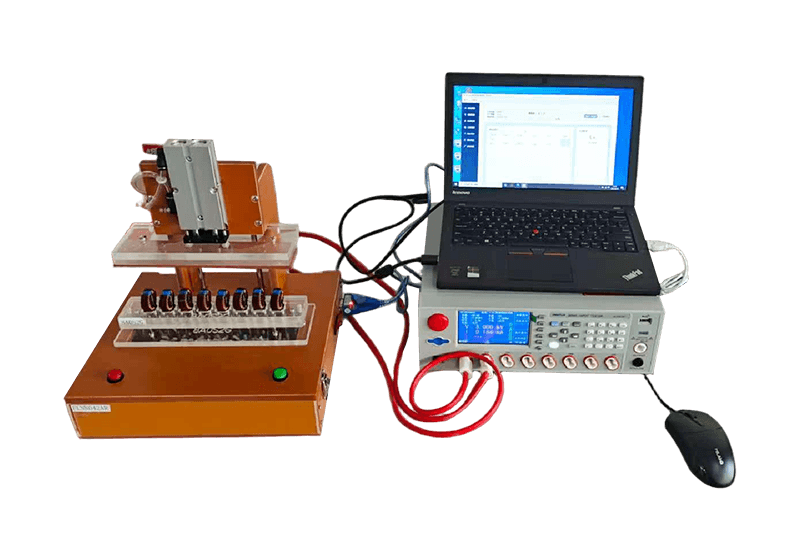
Industrial computer: Core functional unit
As the main functional unit of the system, running the acquisition software allows compatibility with multiple manufacturers and models of instruments. It is recommended to configure two network ports to meet data transmission needs.
Serial server: A key device for communication data collection
For most instruments using RS232 communication interfaces, communication data is achieved via serial port servers, eliminating the need for multiple serial ports on a computer, especially suitable for production lines with many instruments and long placement distances.
Custom shielded communication cable: ensures reliable data
Together with the company's customized shielded RS232 communication cable, it effectively enhances the reliability of communication data and ensures stable data transmission.
Optional hardware devices
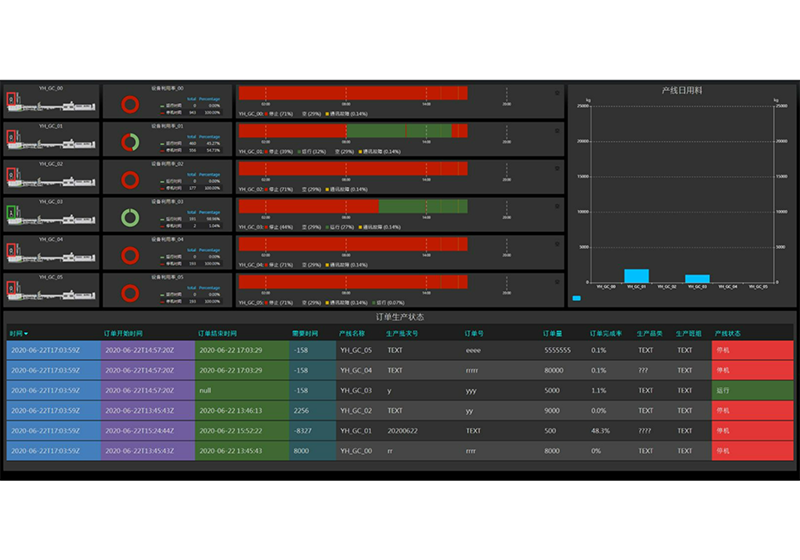
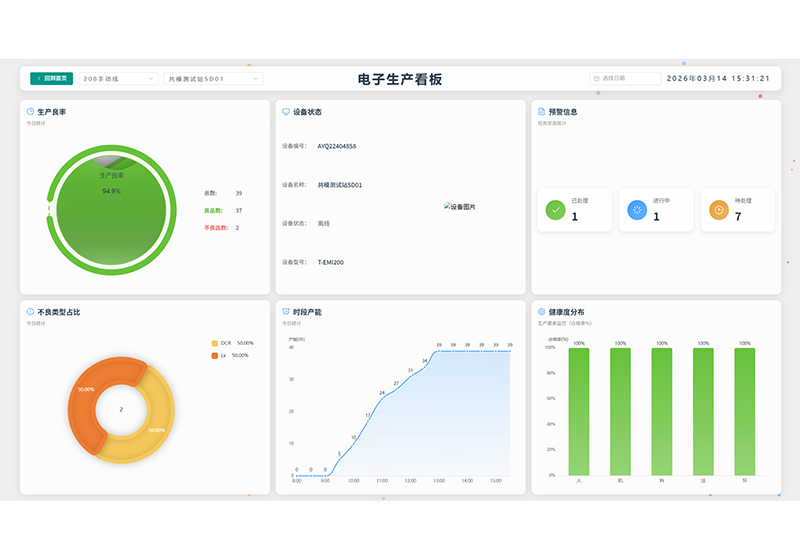
Production Line Data Kanban: a tool for visualizing production status
Suitable for customers configuring servers and production data management systems; single-line data collection systems can also be customized to help present real-time production status.
Production line early warning device: Provides timely alerts for abnormal situations
When continuous defective products occur or the cumulative defect rate exceeds preset thresholds, it receives alarm notifications pushed by the system and alerts relevant personnel to handle it promptly via audible and visual alarms.
Defective product confirmation box: manual line defective product control guarantee
For manual test lines, the system must receive defective product confirmation information before it can operate normally, ensuring strict consistency between the number of defective products and the number of defective data entries to prevent defective product outflow.
Core system functions
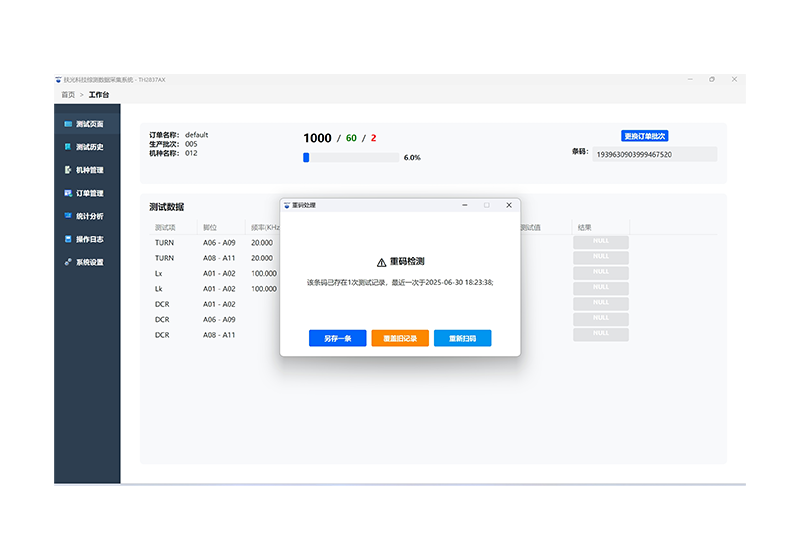
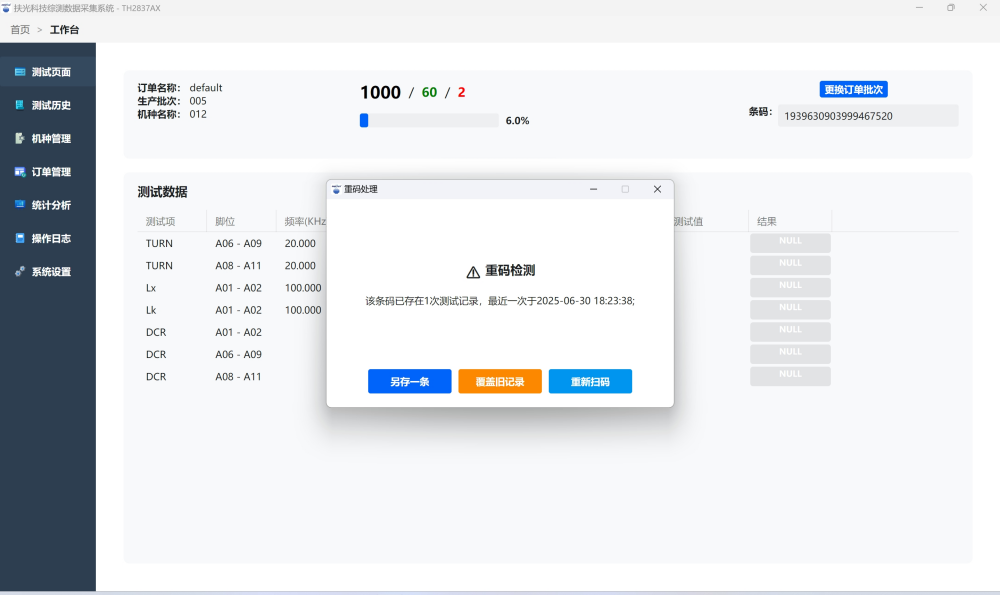
Barcode detection function
Barcode rule configuration: Key information such as prefix, suffix, and length can be customized, ensuring the barcode format complies with production management standards.
Barcode Quality Detection: Capable of real-time detection of incorrect and duplicate codes, effectively preventing data confusion caused by barcode recognition errors.
Data matching and storage: Accurately associate and store test data with product barcodes, achieving full product lifecycle data traceability.
Data monitoring functions
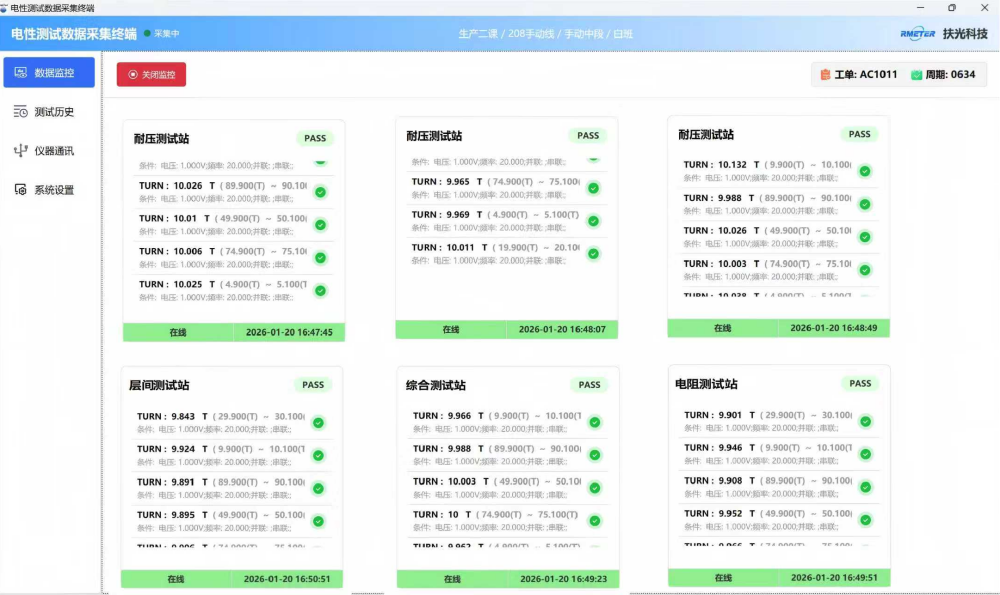
Real-time multi-instrument acquisition: Real-time data collection of testing instruments from different manufacturers and models on the production line is dynamically displayed on the system interface.
Model specification synchronization: When software starts and product model is changed, the model specification files are automatically synchronized to ensure test parameters match production requirements.
Test the history feature
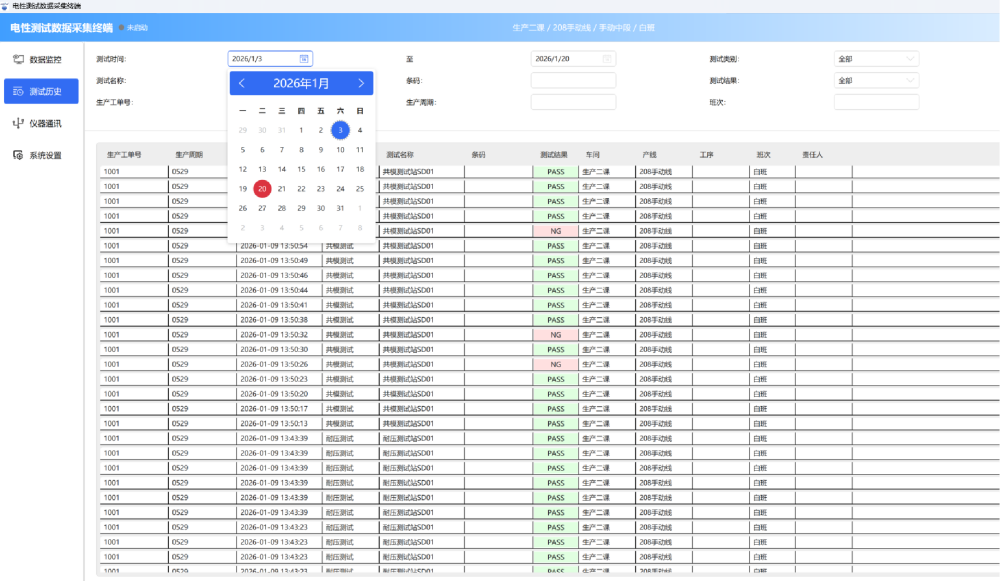
Multidimensional data retrieval: Supports querying historical data by production date, model name, test results, production work order number, shift, product barcode, and other criteria.
Data export function: query results can be exported as CSV format files, compatible with Excel and other office software, facilitating data statistics and analysis.
Instrument communication function
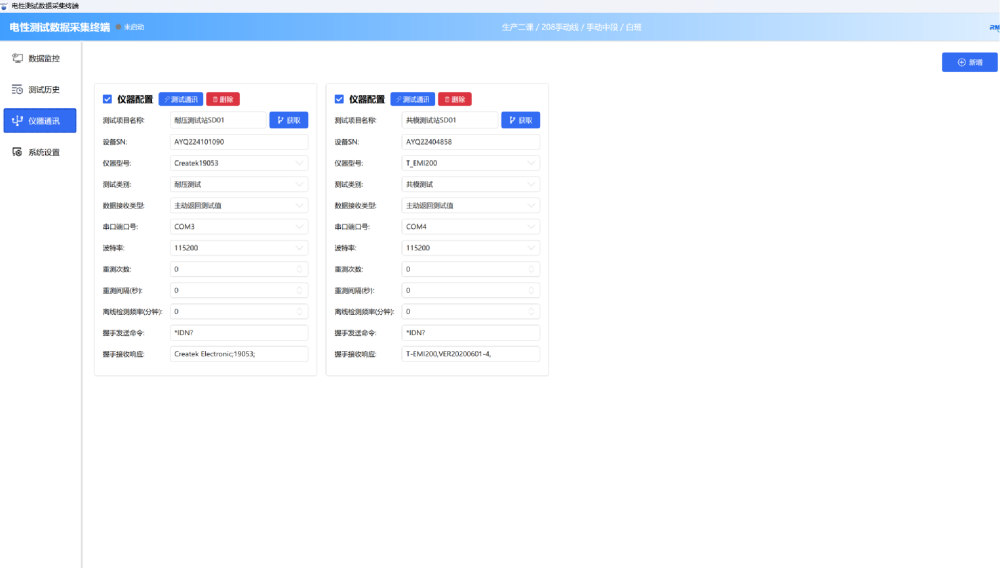
Instrument parameter configuration: Configure instrument information according to the test sequence, including test station name, serial number, model, test type, communication address, and parameters.
Special mechanism settings: Supports configuring parameters such as retest mechanism, offline status, and handshake protocols to ensure stable instrument communication and smooth testing processes.
Test Information Linkage Display: After configuration, the data monitoring interface automatically links and displays real-time test information for the corresponding instrument, intuitively presenting the production status.
System settings functions
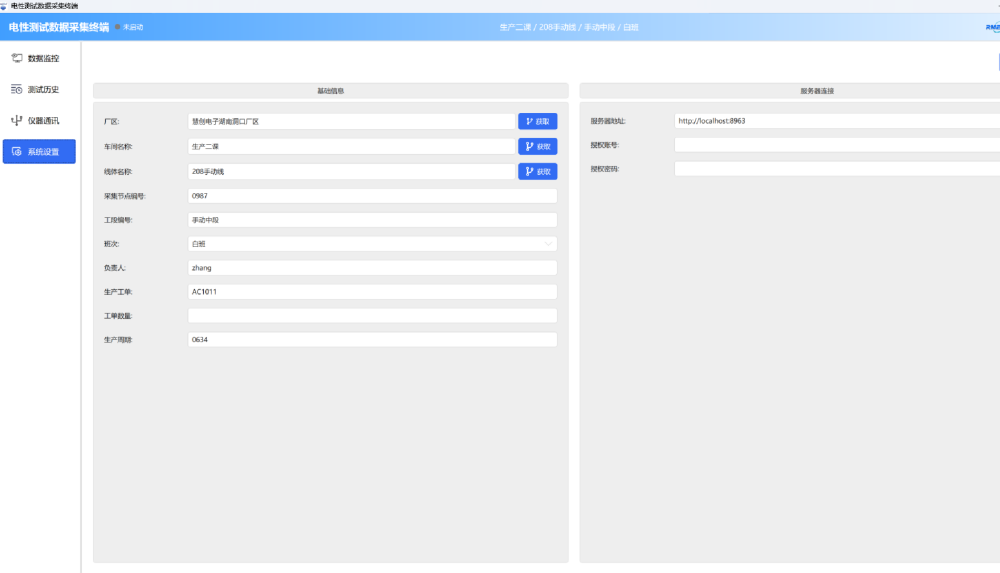
Basic production line configuration: configure basic parameters such as production line name, production shifts, and machine type information to build a management system tailored to actual production scenarios.
Server link configuration: For customers deploying data management systems, server address and connection parameter configuration are provided to enable data exchange with the upper-layer management system.
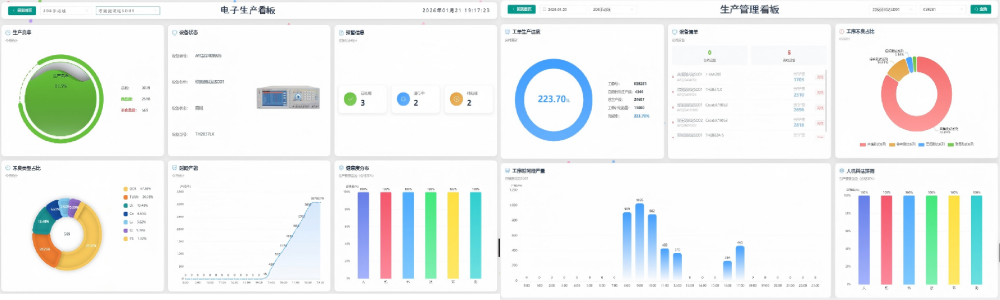
Data Kanban display
Core metrics of the data dashboard
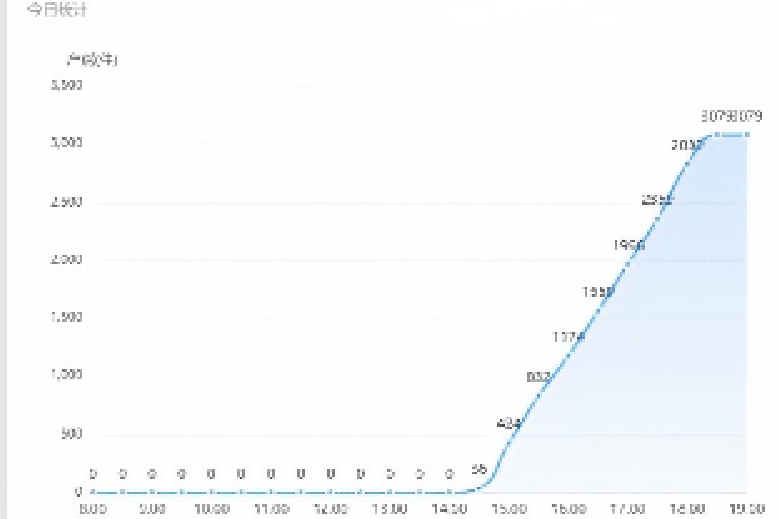
Basic Production Information: Real-time display of the current production model name, clarify the product model being processed on the production line, and dynamically update production quantities to intuitively reflect production progress.
Work Orders and Quality Indicators: Displays the completion rate of production work orders, reflecting the progress of production tasks; Real-time calculation and display of yield rate, reflecting product quality levels; CPK parameters are presented simultaneously to assess the stability and capability of the production process.
| Data visualization and presentation methods | ||
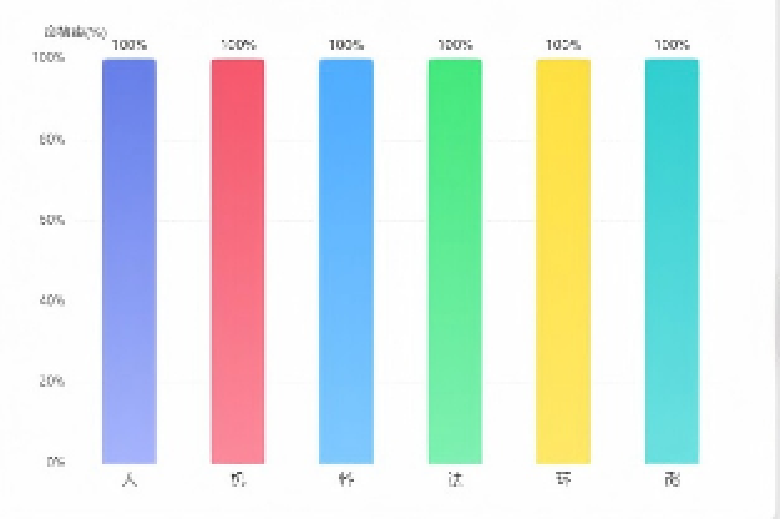 | 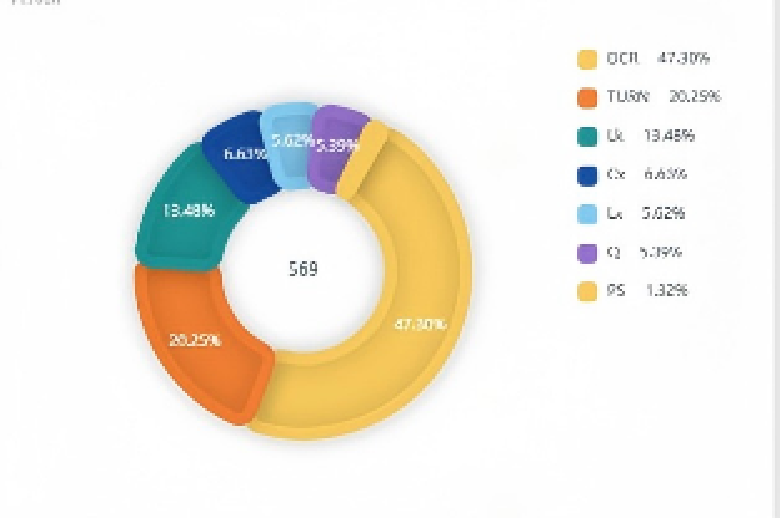 |  |
| Bar chart display By intuitively comparing production quantities and work order completion rates across different time periods or machine types with bar charts, it is easy to quickly identify production differences and trends. | Pie chart presented Clearly displays the proportion of good and defective products in pie charts, helping managers quickly grasp product quality distribution. | CPK curve analysis The CPK curve dynamically reflects the trend of production process capability, helping managers promptly detect process fluctuations and adjust production parameters accordingly to ensure production stability. |
Detailed explanation of the warning function
Warning trigger conditions
Continuous defective product trigger: When continuous defective products appear on the production line, the system automatically triggers a warning mechanism based on a preset threshold for continuous defective quantities, promptly reminding relevant personnel to intervene.
Cumulative Defect Rate Trigger: If the cumulative defect rate during production reaches or exceeds the system's preset percentage threshold, the warning function is immediately activated to ensure rapid response to abnormal situations.
| Four types of early warning methods | |||
| Email push alerts | Production line dashboard warning | Early warning device sounds and lights for alarms | Industrial computer alert reminders |
| Customers need to be equipped with an email push server, and the system can push warning information via email to designated recipients for remote reminders. | When the production line dashboard is configured, warning information will be displayed directly on the board, allowing managers to intuitively grasp production anomalies, which must be used in conjunction with the data management system. | Production line early warning devices must be installed. When triggered, the warning system emits sound and light alerts, providing immediate reminders for personnel on the production line. | As a standard system feature, warning information will pop up prompt windows directly on the collected industrial computer, ensuring operators detect abnormalities immediately. |
Defective product handling mechanism
Automatic line defective product handling
PLC-driven retest mechanism: The automatic test line controls the retesting process of defective products via PLC (Programmable Logic Controller), automatically executing retesting operations based on a preset number of retests.
Data storage rules: The system only uploads and saves the last test data to ensure the accuracy and uniqueness of data records, avoiding duplicate data interference with analysis.
Manual wire defective handling
Retest count management: The manual test line supports handling defective products according to preset retest counts, maintaining the same basic processing logic as the automatic line.
Defective product confirmation mechanism: Defective product processing confirmation must be completed through the defective product confirmation box. The system is only allowed to continue working after receiving the confirmation information to prevent human oversight from causing defective products to be lost.
Data and physical consistency assurance: Strictly ensure that the number of defective products matches the number of defective data entries recorded by the system, achieving a closed loop between production data and physical product management.